
Streaming Meter
An OBS-ready "Meter" widget for YouTubers, VTubers, and streamers. Show progress like subscriber count or follower count on your stream with horizontal bars, vertical bars, or circular rings. Just add it as a "Browser" source in OBS to get started.
 OBS Studio Compatible
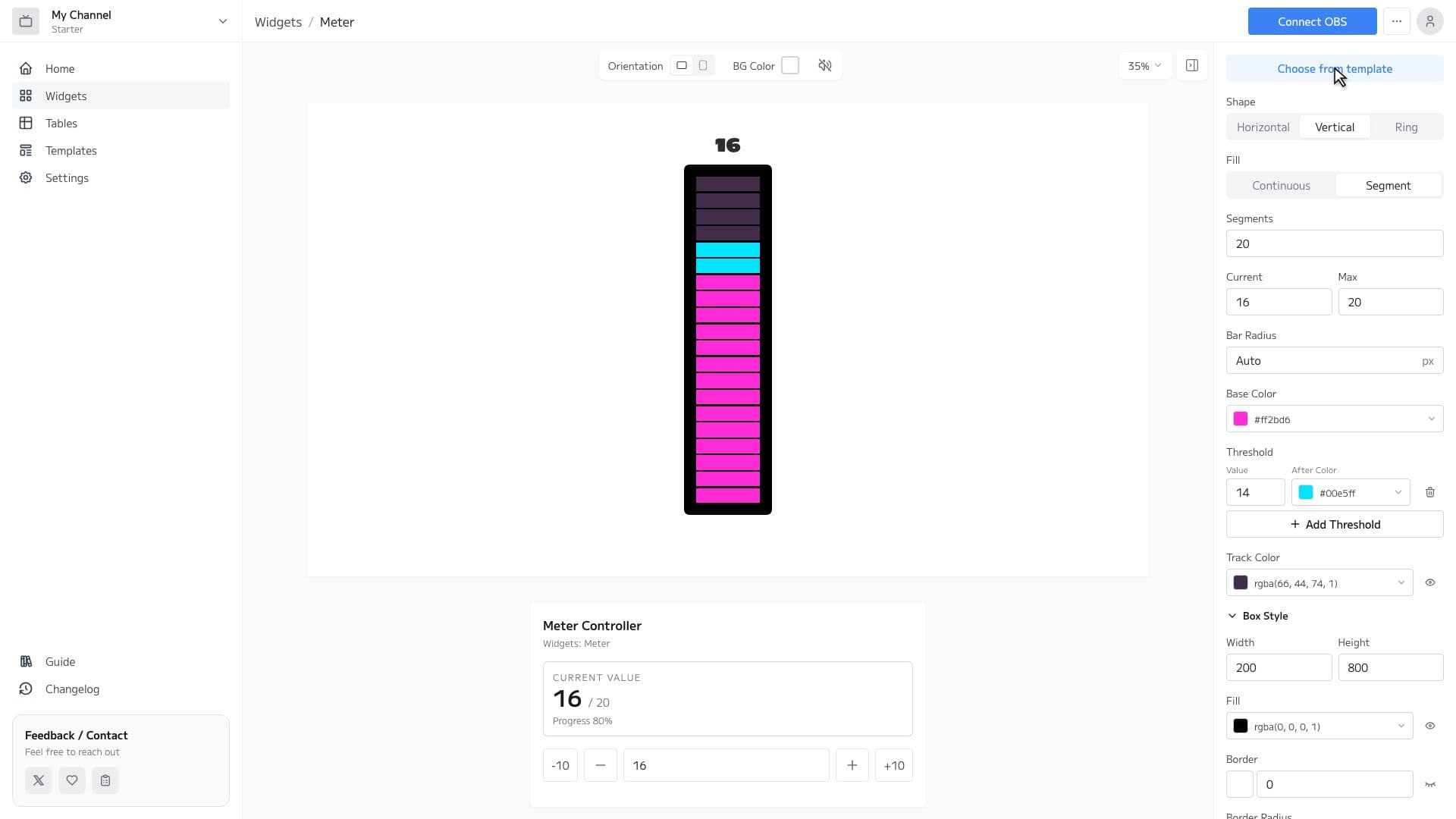
Meter Features
Versatile Shapes
Choose from three shapes: horizontal bar, vertical bar, and circular ring. Pick the look that best fits your stream layout.
Visualize Progress
Set a current value and a maximum, and the bar or gauge fills automatically based on the achievement rate. Perfect for visualizing subscriber count, follower count, and more.
Full Customization
Adjust progress color, track color, thickness, fonts, background, and more with just clicks. No CSS knowledge required.
How to Set Up
3 easy steps to use the Meter widget in OBS
Configure widget and get URL
Customize the appearance in the widget editor and copy the generated URL.
Add Browser Source to OBS
Click '+' → 'Browser' in OBS Sources panel and paste the copied URL.
Adjust Size & Position
Adjust the widget's size and position to fit your stream layout, and you're done!