


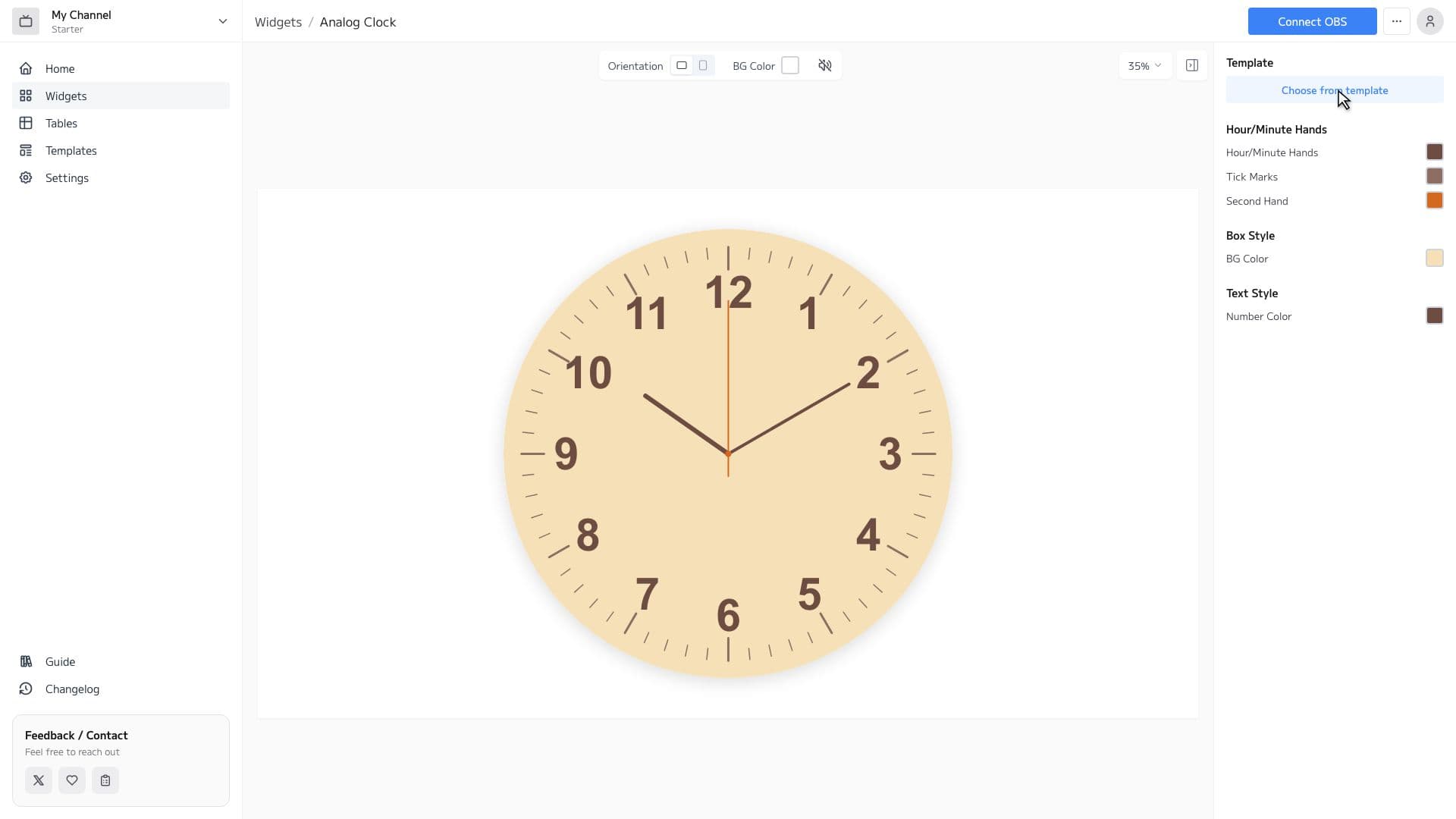
Analog Clock Features
Rich Templates
Choose from over 20 templates and apply a design with one click.
Full Customization
Customize hour, minute, and second hands, tick marks, and background color individually. No CSS knowledge needed.
Real-time Updates
The current time updates in real-time during your stream. The second hand animation runs smoothly.
Widget Editor
Choose fonts, text colors, and background colors freely, and tailor the display format to your stream. A real-time preview shows every change instantly, so fine-tuning is effortless.
How to Set Up
3 easy steps to use the Analog Clock widget in OBS
1
Configure widget and get URL
Customize the appearance in the widget editor and copy the generated URL.
2
Add Browser Source to OBS
Click '+' → 'Browser' in OBS Sources panel and paste the copied URL.
3
Adjust Size & Position
Adjust the widget's size and position to fit your stream layout, and you're done!
FAQ
How much can I customize the hands and dial design?
You can switch templates, adjust fonts, tweak the border, and change the second hand color with precision. The real-time preview lets you dial in a look that fits your stream perfectly.
Can I use it with streaming software other than OBS?
Any streaming software that supports browser sources will work. Just paste the generated URL to display the clock widget.
Do I need a Google account to use the Jamluca analog clock widget?
You can sign up in seconds with your Google account and start creating analog clock widgets right away—no separate email or password setup is required. Try it for free first.
Can I change the design without knowing CSS?
Yes. The widget editor is intuitive, so you can adjust display elements and colors with simple point-and-click actions—no CSS or HTML expertise required. The real-time preview lets you fine-tune confidently before you go live.
Is a digital clock available?
A digital clock that shows the time in numerals is available as a separate widget, the Streaming Clock. It can also display the date and the day of the week, so you can pick whichever suits your needs.
Can I hide the second hand?
The second hand can be shown or hidden. Hiding it is a good choice when you want a calmer dial with less movement.
Which time is displayed? Can it drift?
It shows the system time of the PC running OBS as-is. As long as your PC's clock is accurate, the clock on your stream will not drift.
For more details on how to use the Analog Clock widget, see here.