

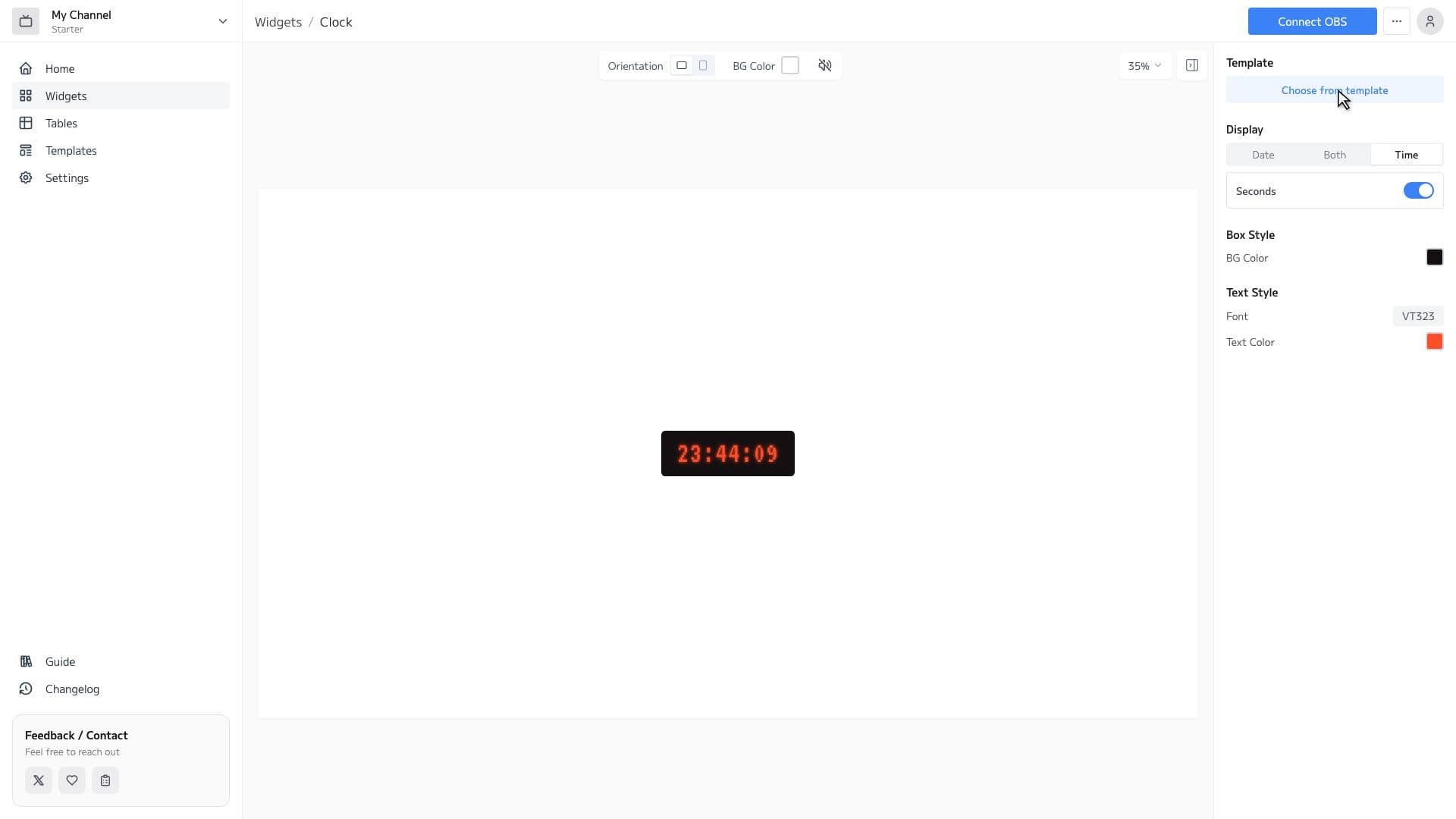
Clock Features
Rich Font Selection
Choose from over 1,600 Google Fonts. Create clocks that match the atmosphere of your stream.
Full Customization
Adjust font, text color, background, borders, and shadows with just clicks. No CSS knowledge required.
Display Format
Customize the display of year, month, day, and weekday. Set the display format freely.
Widget Editor
You can freely choose fonts, text color, background color, etc., and customize the display format for day of the week and date. You can preview your style in real time, making fine adjustments easy. Even without CSS knowledge, anyone can intuitively use the settings.
How to Set Up
3 easy steps to use the Clock widget in OBS
Configure widget and get URL
Customize the appearance in the widget editor and copy the generated URL.
Add Browser Source to OBS
Click '+' → 'Browser' in OBS Sources panel and paste the copied URL.
Adjust Size & Position
Adjust the widget's size and position to fit your stream layout, and you're done!