
Streaming Tournament Bracket
An OBS-ready "Tournament Bracket" widget for YouTubers, VTubers, and streamers. Display the bracket for game tournaments or viewer-participation events on your stream. Just pick the winner from the controller and the winner's line extends automatically, sharing match progress in real time. Just add it as a "Browser" source in OBS to get started.
 OBS Studio Compatible
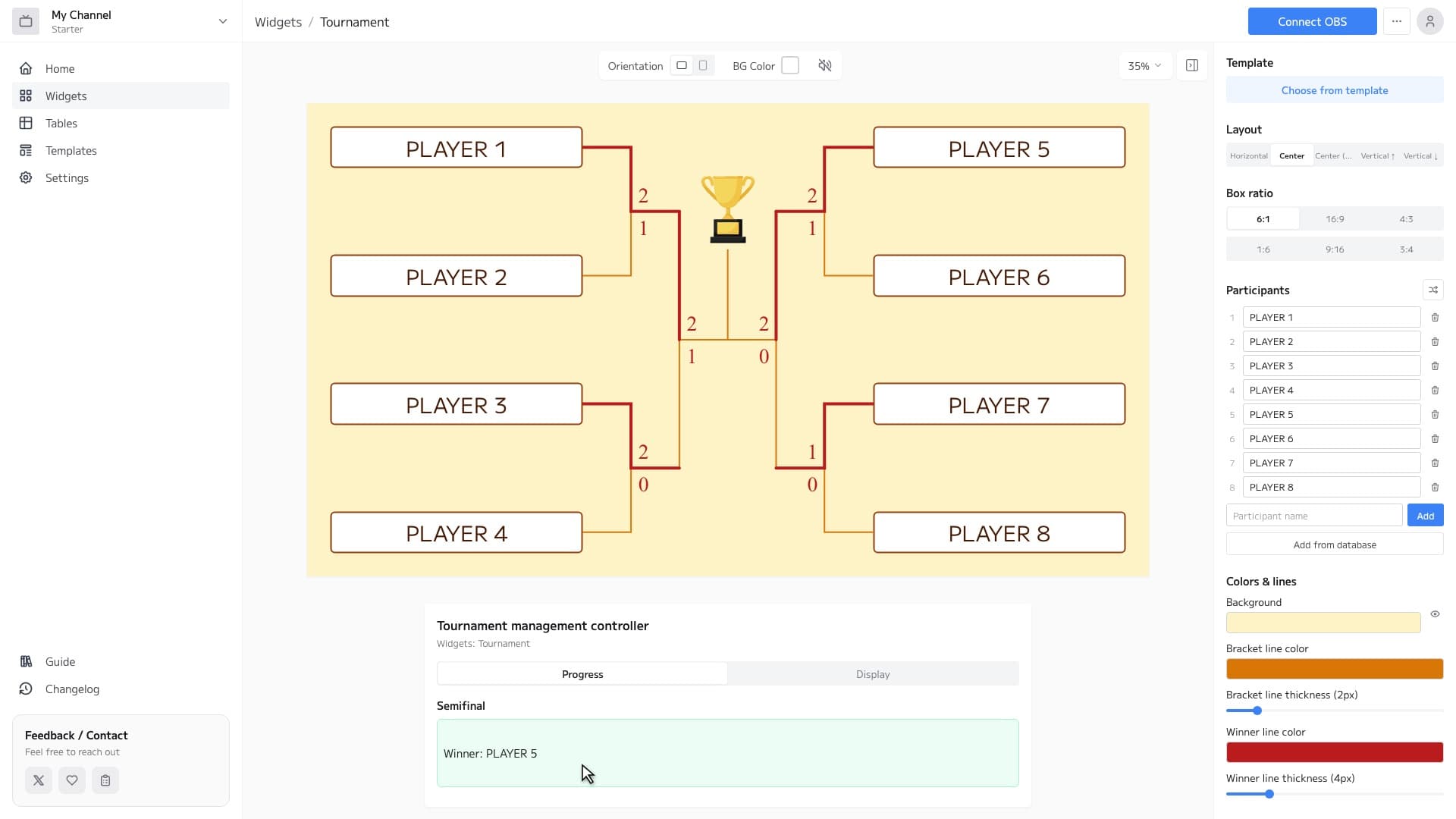
Tournament Bracket Features
Flexible Layouts
Choose from 5 layouts: horizontal, center, vertical-center, vertical-up, and vertical-down. Pick the look that best fits your stream layout.
Automatic Seeding
Even when the number of participants isn't a power of two, seeding is adjusted automatically, so you can start a tournament with any number of participants.
Advance with a Single Tap
Just pick the winner from the controller and the winner's line extends automatically, reflecting match progress on your stream in real time.
How to Set Up
3 easy steps to use the Tournament Bracket widget in OBS
Configure widget and get URL
Customize the appearance in the widget editor and copy the generated URL.
Add Browser Source to OBS
Click '+' → 'Browser' in OBS Sources panel and paste the copied URL.
Adjust Size & Position
Adjust the widget's size and position to fit your stream layout, and you're done!